
Download PlusVector – AI‑Powered Vector Art Generator, Free Trial, Secure Download
Overview
PlusVector is a cloud‑based, AI‑driven graphics platform that reshapes the way designers, marketers, and hobbyists create vector artwork. By entering a natural‑language prompt—such as “minimalist teal mountain logo” or “vintage travel postcard illustration”—the engine instantly produces a high‑resolution SVG file ready for immediate use. Because the service lives entirely in the browser, there is no need to install heavyweight software on a workstation; all processing occurs on secure remote servers, allowing even low‑end laptops or mobile devices to generate complex vectors in seconds. The platform’s subscription model unlocks unlimited generations, a growing library of community‑crafted templates, and persistent cloud storage that preserves every version of a design for future edits. This storage model not only protects your work from accidental loss but also enables collaborative workflows: you can share a public link with teammates, gather feedback, and even let clients download assets directly without exposing your account credentials.
What truly differentiates PlusVector from traditional vector editors is its focus on resolution‑independent output. Every export is an SVG that scales without pixelation, making it ideal for responsive web design, print media, and large‑format signage. The SVGs include searchable text layers and optional interactive hotspots, which can boost SEO performance and accessibility when embedded on a website. In addition, PlusVector’s secure environment employs end‑to‑end encryption, ensuring that your prompts, designs, and personal data remain private. Whether you are a seasoned illustrator looking for rapid prototyping, a startup founder needing a quick logo, or a teacher preparing educational graphics, PlusVector offers a flexible, professional‑grade solution that bridges the gap between AI convenience and design precision.
Key Features
PlusVector packs a comprehensive set of capabilities that cater to both creative exploration and production‑ready output. The AI prompt engine is fine‑tuned on millions of design examples, allowing it to interpret nuanced language and deliver aesthetically balanced vectors. The platform continuously learns from user interactions, meaning the more you use it, the better the suggestions become.
In addition to AI generation, PlusVector provides a robust suite of tools for post‑generation refinement, such as color palettes, path editing, and layer management—all accessible directly in the browser. The community template library, curated by professional designers, serves as a launchpad for brand consistency, while version history and cloud storage ensure that no creative iteration is ever lost. Finally, the service integrates smoothly with existing design pipelines: exported SVGs retain editable attributes, making them ready for further polishing in Adobe Illustrator, Figma, or Inkscape.
- Prompt‑Based Generation: Write a brief description (e.g., “minimalist blue mountain logo”) and receive a fully‑formed vector in seconds.
- Resolution‑Independent SVGs: Every output is a scalable vector graphic that retains pixel‑perfect quality at any size.
- Community Template Library: Browse, remix, and adapt thousands of user‑submitted templates for consistent branding.
- Interactive & Searchable SVGs: Embedded metadata, clickable regions, and searchable text layers for SEO and accessibility.
- Version History & Cloud Storage: All generated vectors are saved in your account, allowing you to retrieve or edit older versions.
- Fast Load Times: Optimized SVG code results in smaller file sizes compared with raster alternatives.
- Cross‑Platform Access: Works on any modern browser—Windows, macOS, Linux, Android, and iOS devices.
- Secure Subscription Model: End‑to‑end encryption protects your prompts and assets; no ads or hidden fees.
- Regular Updates: AI model improvements and new template packs are rolled out monthly.
- Export Options: Download as SVG, PNG, or PDF for versatile downstream use.
Installation & Usage Guide
Because PlusVector is a web‑only service, there is no traditional installation process. To begin, navigate to the official website, click “Sign Up,” and create an account using either an email address or a social login (Google, Facebook, or Apple). After confirming your email, you can immediately explore the free trial, which grants ten AI‑generated vectors at no cost. This trial is designed to let you test the interface, understand prompt syntax, and evaluate output quality before committing to a subscription.
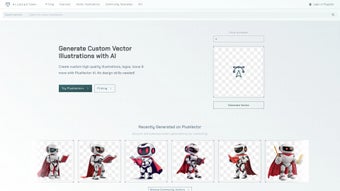
Once logged in, the dashboard presents a clean three‑pane layout. The left pane houses the prompt input box and quick‑access buttons for recent templates. The central pane displays a live preview of the generated SVG, complete with zoom and pan controls.
The right sidebar offers suggested color palettes, icon libraries, and a history of your previous projects. To generate a vector, simply type a concise description, select a style hint (e.g., “flat”, “hand‑drawn”, “geometric”), and press the “Generate” button. Within 2‑5 seconds the AI returns a vector preview that you can interact with.
Basic edits—such as swapping colors, adjusting stroke weight, or repositioning elements—are performed through an intuitive toolbar that appears above the preview. For more intricate modifications, you can click “Export to Editor,” which downloads the SVG while preserving all layer information for further refinement in Illustrator, Sketch, or any other vector editor. All assets are automatically synced to your cloud library, where you can organize them into folders, tag them for rapid search, and share public links with collaborators. The platform also includes a one‑click “Insert to Website” feature that generates a responsive HTML snippet, ensuring that the SVG scales correctly across devices.
Compatibility (itemprop="operatingSystem"): PlusVector runs flawlessly on any device that supports modern browsers (Chrome, Edge, Firefox, Safari). Because the heavy lifting occurs on remote servers, even low‑end smartphones or tablets can generate complex vectors without performance lag. No additional plugins or extensions are required, making it an ideal solution for on‑the‑go designers.
Pros and Cons
Pros
- Instant vector creation with natural‑language prompts eliminates the need for manual drawing.
- Resolution‑independent SVGs stay sharp on any screen size, from mobile phones to billboards.
- Extensive community template library accelerates brand development and ensures visual consistency.
- Secure, ad‑free environment with SSL/TLS encryption and private cloud storage protects intellectual property.
- Cross‑platform accessibility—no OS restrictions, works on Windows, macOS, Linux, Android, and iOS.
- Regular AI model updates improve generation quality and introduce new design styles.
- One‑click export to popular formats (SVG, PNG, PDF) streamlines workflow integration.
- Version history and tagging system make asset management effortless for teams.
Cons
- Requires an active internet connection; offline generation is not supported.
- Subscription cost may be a barrier for occasional hobbyists or students on a tight budget.
- Advanced path editing still benefits from a dedicated vector editor for precision work.
- Learning curve for users unfamiliar with SVG concepts such as layers, groups, and metadata.
- Free trial is limited to ten generations, which may not be enough for extensive testing.
Overall, the advantages of PlusVector—speed, scalability, and AI‑driven creativity—far outweigh the minor drawbacks. For professionals who need high‑quality vectors quickly, the subscription price is justified by the time saved and the consistent output quality. For casual users, the free trial offers a taste of the technology, and the pay‑as‑you‑go monthly plan provides flexibility without a long‑term commitment.
Frequently Asked Questions
Can I use PlusVector for commercial projects?
Yes. All vectors generated under a paid subscription are royalty‑free and can be used in logos, advertisements, merchandise, and any commercial application without additional licensing fees.
What file formats can I export?
Primary export is SVG, but you can also download PNG (transparent background) and PDF for print‑ready versions. All formats preserve the original vector data where applicable.
Is there a free version?
A limited free trial provides ten AI generations. After the trial, you’ll need to select a subscription plan to continue creating vectors. No hidden fees or credit‑card‑required trial.
How secure is my data?
PlusVector uses SSL/TLS encryption for all data in transit and stores assets on secure cloud servers with regular security audits. Your prompts and vectors remain private unless you explicitly share a public link.
Can I integrate PlusVector with other design tools?
Yes. Exported SVG files can be opened in Illustrator, Figma, Sketch, or any vector editor. PlusVector also offers a simple embed code for direct website integration, allowing designers to insert generated graphics without manual downloads.
Conclusion & Call to Action
In summary, PlusVector delivers a powerful blend of AI convenience and professional‑grade vector output that is hard to match in today’s crowded design‑tool market. Its browser‑only architecture eliminates hardware constraints, while the robust feature set—prompt‑based generation, a thriving template ecosystem, secure cloud storage, and seamless export options—makes it a compelling choice for anyone who needs high‑quality SVGs quickly. If you are looking to streamline your design workflow, reduce reliance on heavyweight software, and stay ahead with AI‑driven creativity, PlusVector is worth the investment. Ready to transform your ideas into crisp, scalable graphics? Download PlusVector today, start your free trial, and experience the future of vector design.
- Quick AI generation, high‑quality SVGs, robust template library.
- No offline mode, subscription required for unlimited use.



.png)



